What the production area is
Everything about filming a show lives here, apart from the client's 14-day dashboard.
There are four pages. The producers' page runs one show. Each person on camera gets a cast dashboard. Each director gets a director dashboard. And each show has a release link for guests and location owners. Every show uses the same template.
 Every show ↗
Start a show
Every show page, pick the client, tap Start.
The show starts from the template: six arc beats, five episodes (or the ones from their show plan), Day 1, camera level Pro, Cyrus as the contact, and the client as main character. Then send the producers' link to the client from the Producers tab.
Start a show ↗Write the season
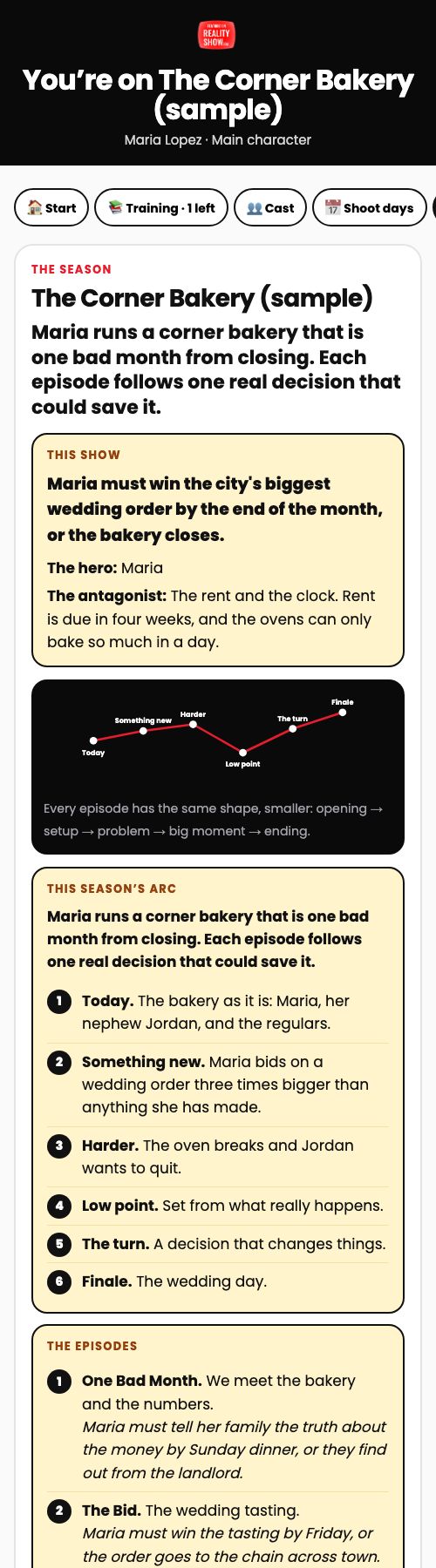
One line drives everything: the hero must do X by Y, or Z happens.
Season tab: the working title, the logline, why we're making it, the story line with the hero and the antagonist, the arc, and each episode with its own story line. The cast reads all of it in their training, so write it in plain words.
Cast the show
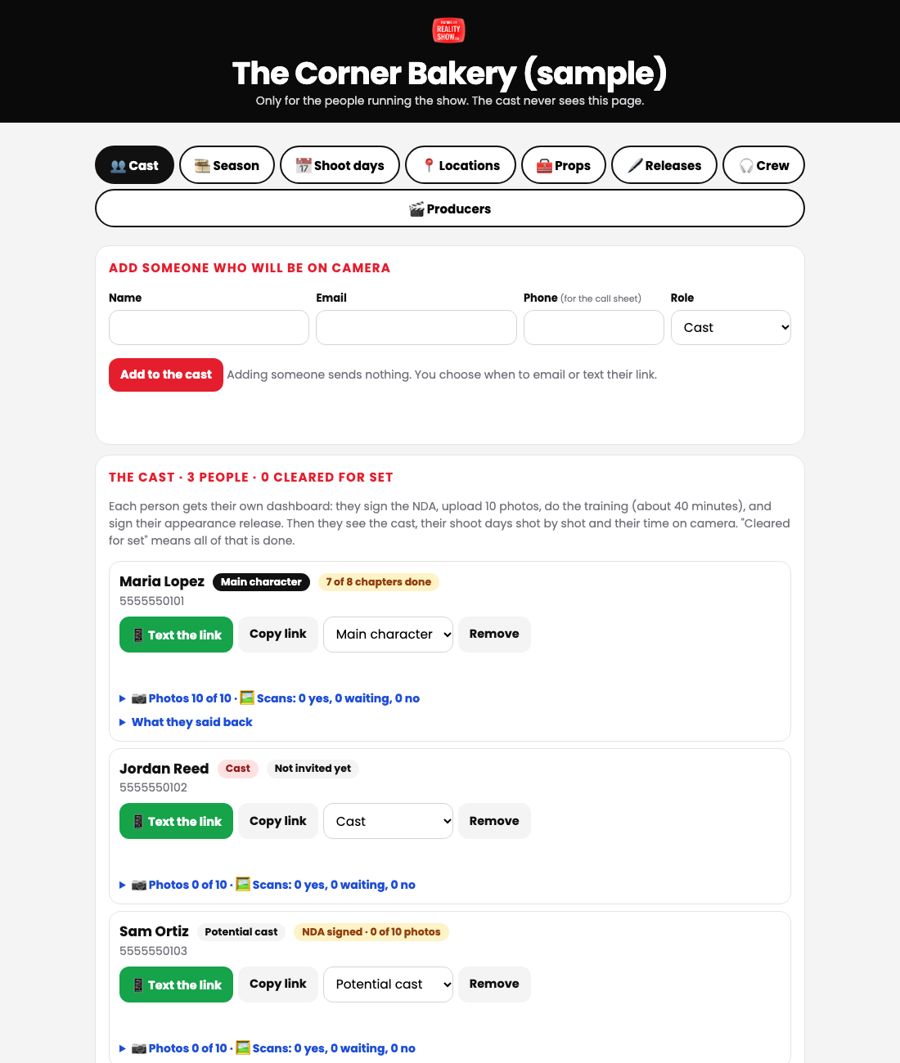
First name, email, phone, role. Adding someone sends nothing.
Cast tab: add everyone who may be on camera as main character, cast or potential cast. The phone goes on the call sheet. When you're ready, tap Email the invite or Text the link. The invite tells them they'll sign an NDA, upload 10 photos, train, and sign their release.
What the cast does
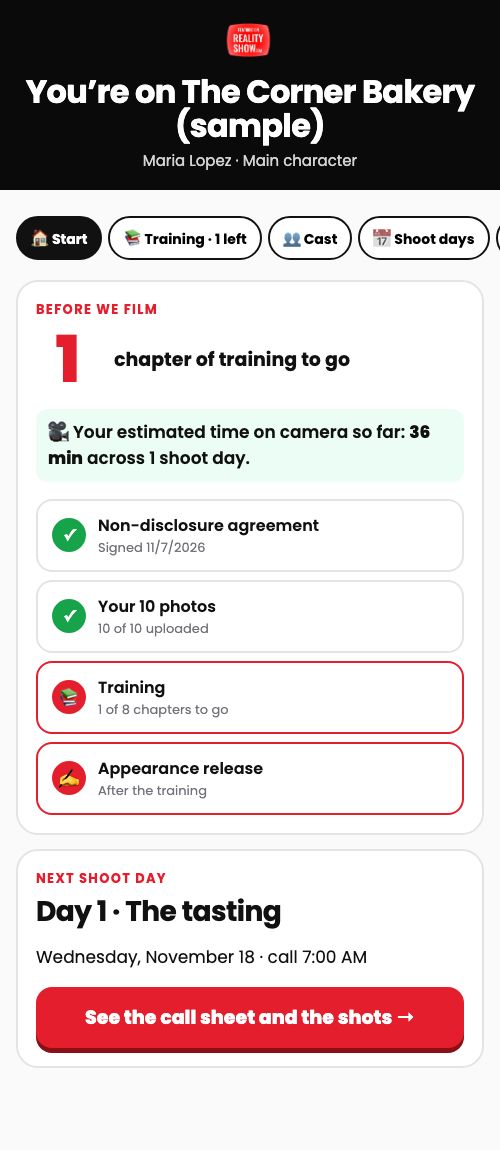
NDA, 10 photos, 8 chapters, release. Then they're cleared for set.
Their first screen is the NDA and the okay to make scans from their photos. Then 10 labeled photos. Then the training with a countdown. Then the appearance release. Their card shows where they are, what they said back in their own words, and their off-limits list.
Scans
They start on their own when the 10 photos are in.
The server makes six scans and emails the person to check them. They tap yes or no, and a no is deleted. Approved scans (green) are what go in the AI previews. You can tap Make scans now if you need more.
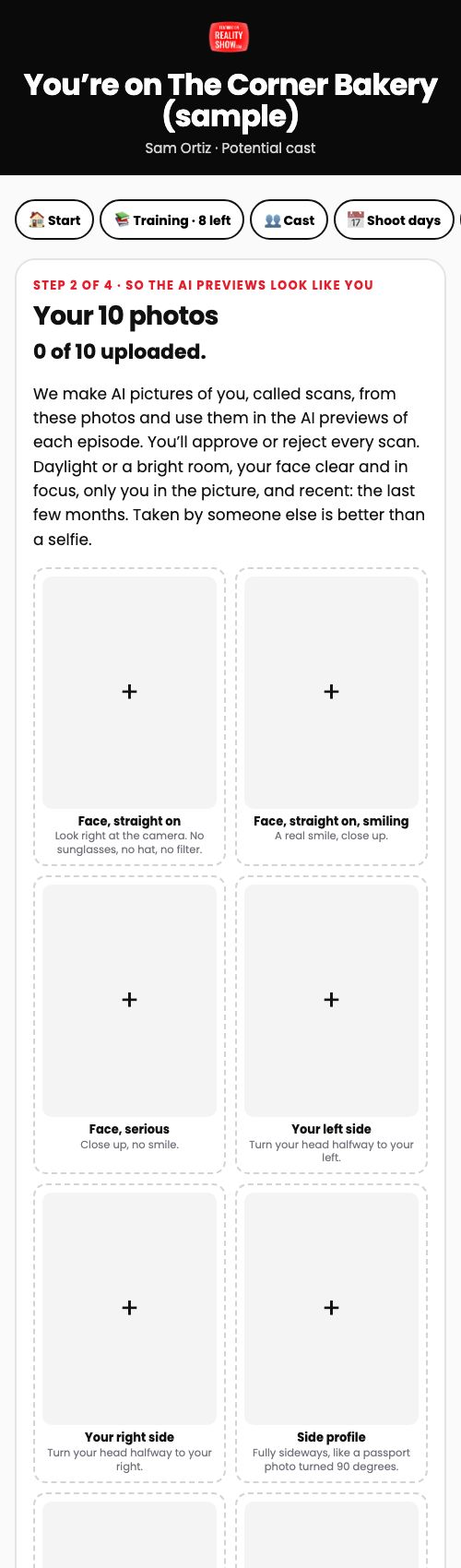
Places: Release, Public, Guerrilla
A missing release never stops a shoot.
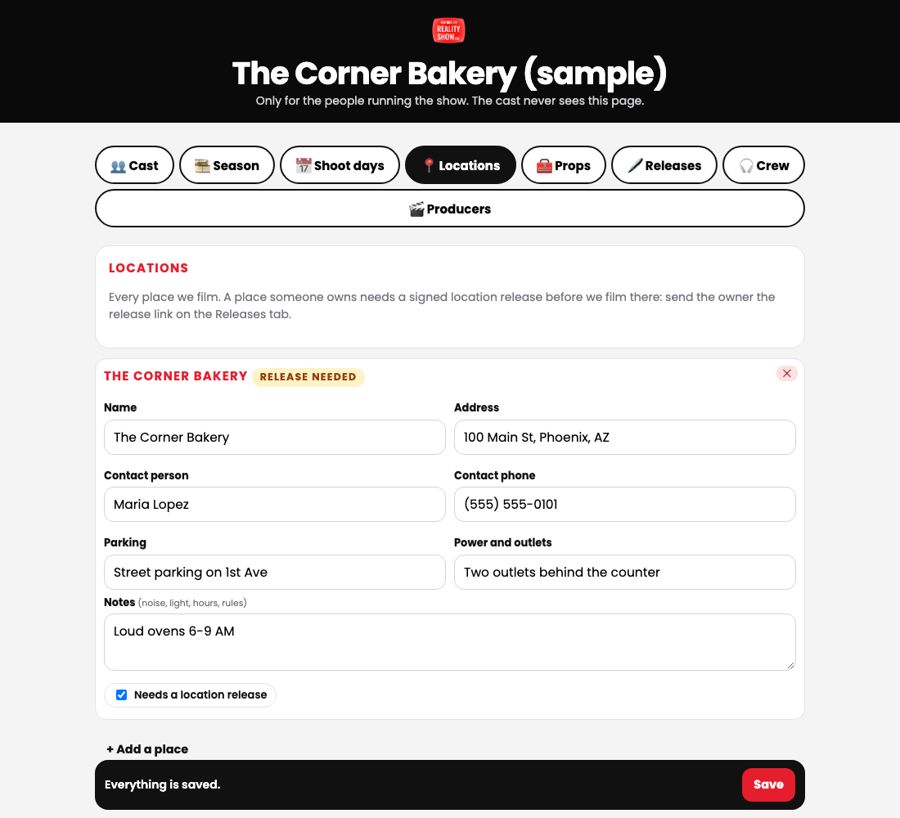
Locations tab: every place is Release (the owner signs), Public (no release needed) or Guerrilla (we film quickly and leave the moment anyone asks). Go for places that don't need a release. If an owner hasn't signed, switch the place to Guerrilla.
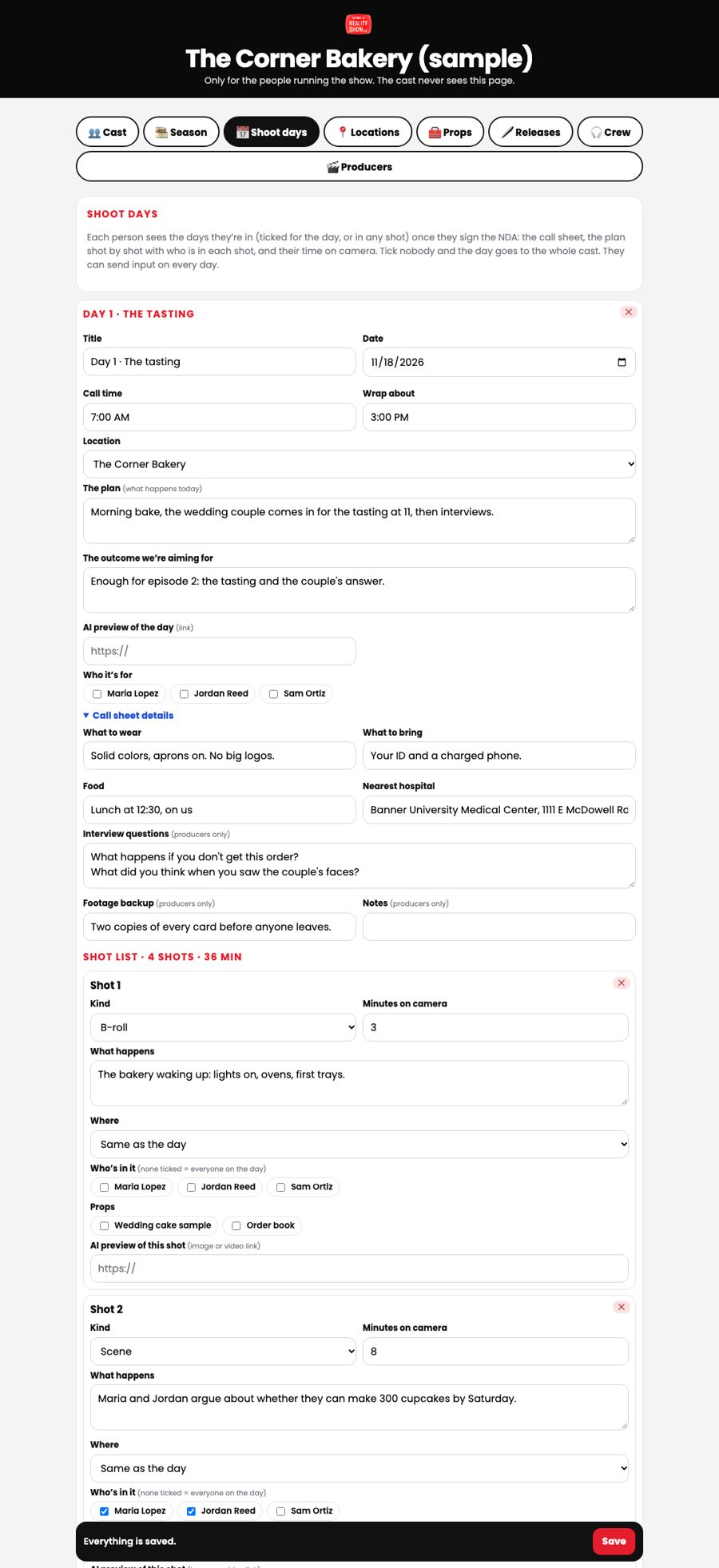
Shoot days and shots
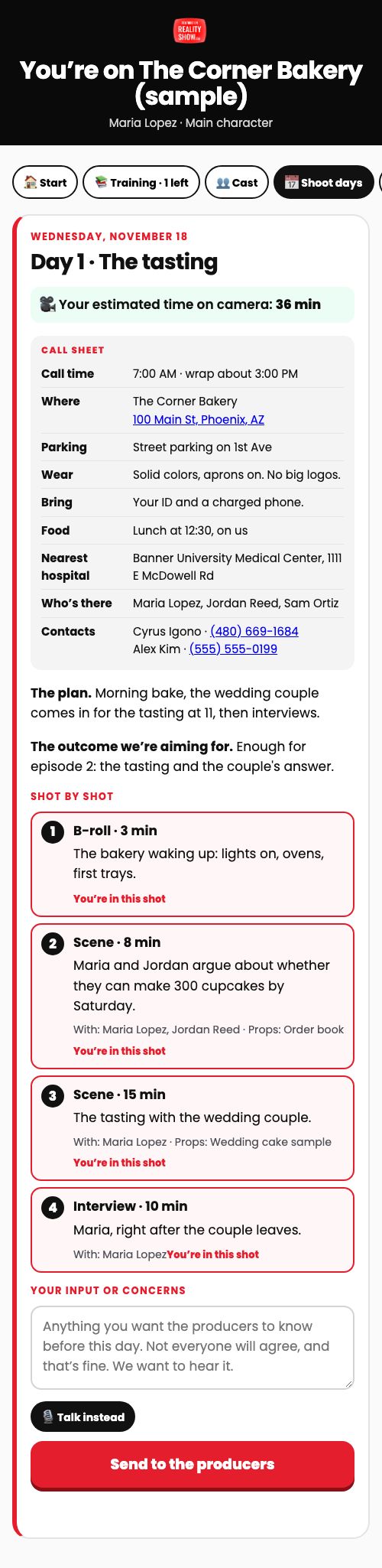
The call sheet, then every shot: who, where, props, minutes.
Shoot days tab: date, call time, location, the plan, the outcome we're aiming for, what to wear and bring, food, nearest hospital, interview questions and the backup plan. Then the shot list. Minutes add up into each person's time on camera. Paste the AI preview links here. Print the call sheet for the day.
The 48-hour emails
They go out on their own. Read your summary.
Two days before call time, everyone on camera that day gets the day and anything they still need to sign, expected guests get the release link, and booked directors get the call sheet. You're copied on all of it, and you get one summary: who's not cleared, who to text, and the location's release status.
Releases on the day
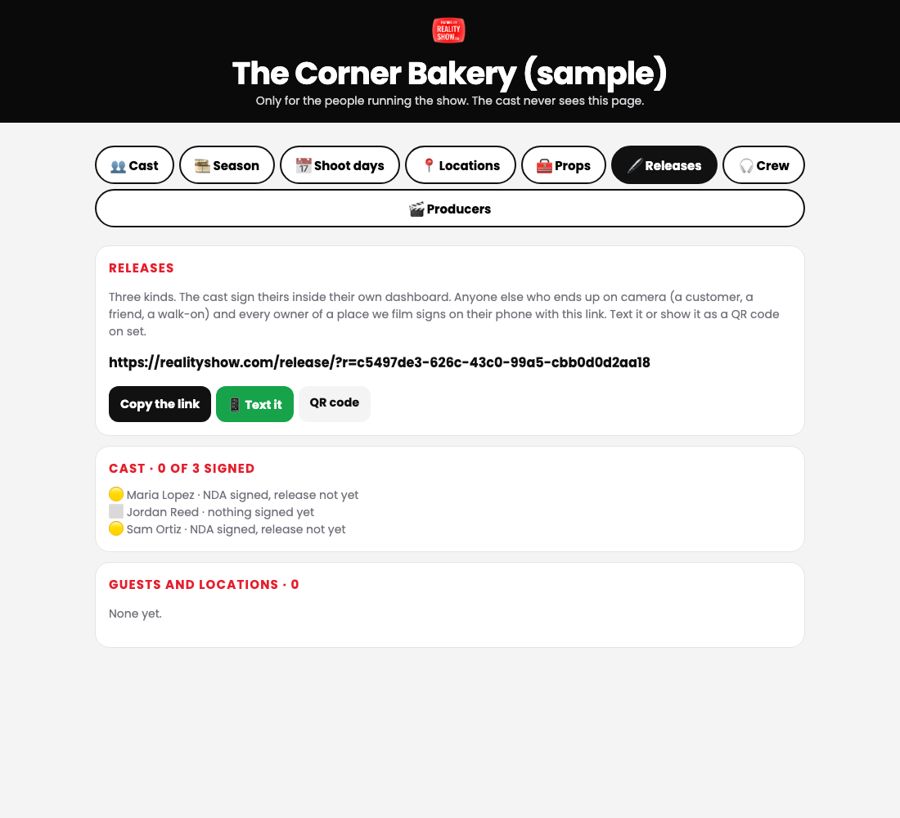
Anyone clearly in a shot signs the link. Show the QR code.
Releases tab: the show's release link, with a QR code. A customer, a friend or a walk-on signs in a minute on their phone. Location owners sign it too. Anyone who didn't sign gets cut or blurred.
Directors
Invite, train, test, verify. Then any show can book them.
The director pool is on the Every show page. Add a director and email the invite. They sign an NDA, do 8 chapters of training, and upload a 3-minute test shoot. Watch the clips and tap Verify, or ask for another try with a note.
The director pool ↗Book a director and pay them
Two payments: one at check-in, one when the footage is okay.
Directors tab on the show: pick a verified director for a day, the job, and the two amounts. They get the call sheet, check in on set (payment one is earned), upload the footage the same night, and tap send. You watch it and tap Footage okay (payment two is earned). The team marks each payment paid.
Read the input before every day
Not everyone will agree. We want to know before we film.
Every person on camera can send input or concerns on each shoot day from their dashboard. You get an email each time, and it shows under that day. Read it the day before, and answer anything that needs an answer before call time.