← Back to my Bridge

Connect your accounts

Watch: Connect your accounts, about 2 min

One link. You log in on each app's own page, so we never see your password. Then we post your clips for you, 1 to 3 times a day on every account.

How it works

1
Tap Connect my accountsOn your dashboard, open the Bridge, or use the button at the bottom of this page.
2
Pick the appA page opens with four buttons: Facebook, Instagram, TikTok and YouTube.
3
Log in on the app's own pageInstagram, Facebook, TikTok or Google. You type your password there, so we never see it.
4
Tap AllowThe account shows up on your Social page as connected. Do it once for each account.

Your 5 accounts

You start with five accounts: Instagram, TikTok, YouTube, a Facebook fan page, and one more for your company or your website.

◎Instagram
♪TikTok
▶YouTube
fFacebook fan page
+1Your company or website

Before anything posts, each account gets its goal written on your Social page: who it is for, what goes on it, and what it should make people do. Then we post 1 to 3 times a day on each one.

Who it is forThe people this account talks to
What goes on itWhich clips, in which style
What it makes them doYour free offer, your site, your show

Paid ads? If we run paid ads for you, five is enough. If we don't, we add more accounts over the 90 days so your clips reach more people.

Set up three things first

Instagram: a business or creator accountIt is free and takes a minute. In Instagram, open Settings, then Account type and tools, then Switch to professional account.
Facebook: a fan pageWe can't post on a personal profile. If you don't have a page for your brand, make one at facebook.com/pages/create.
YouTube: a channelOn the Google account you use for YouTube. TikTok works with any account.
Your phone close bySome apps text you a login code.
An account doesn't exist yet?Tell us in Messages and we make it with you.

What you will see

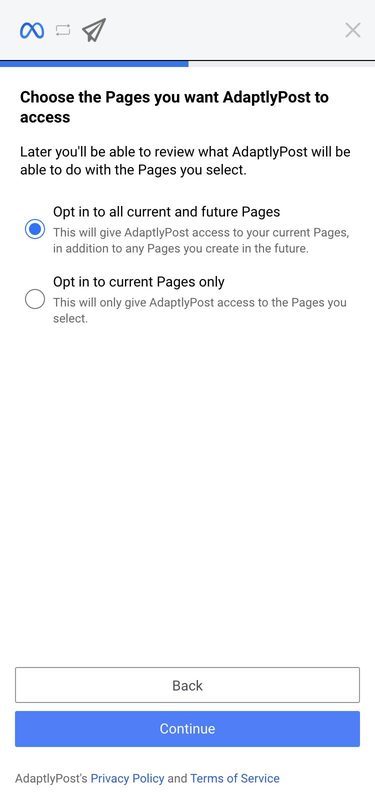
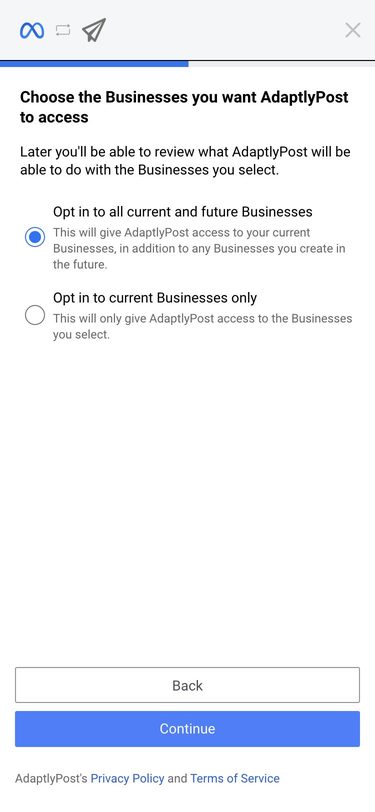
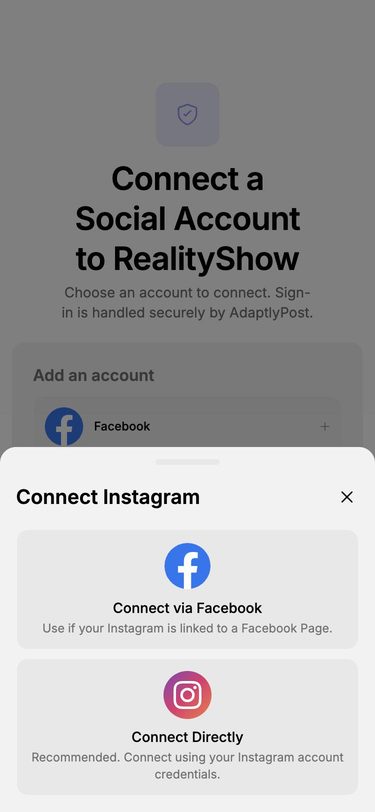
These are the real screens. On Instagram, pick Connect Directly. On Facebook, pick current pages only and tick the page for your brand. Do the same for businesses.
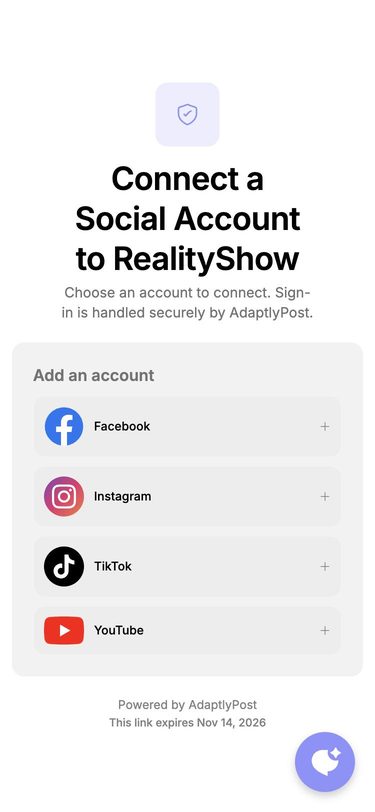
The connect page with four buttons: Facebook, Instagram, TikTok, YouTube
1The connect page. Tap the app you want to connect.
Instagram choice: Connect via Facebook or Connect Directly
2Instagram: pick Connect Directly.
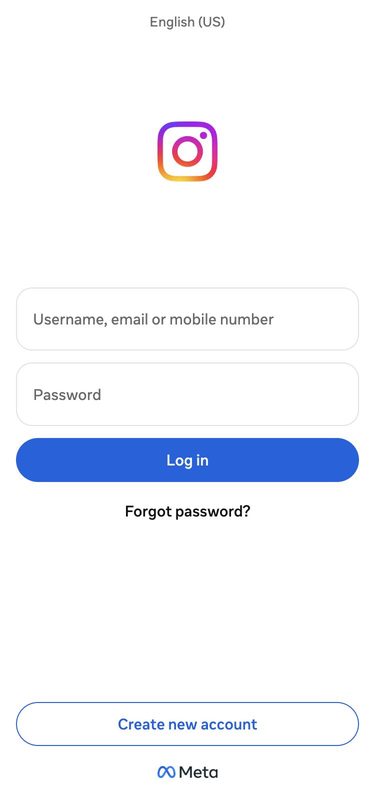
Instagram's own login page
3Instagram's own login page. Your password goes in here, not to us.
Facebook: choose the Pages AdaptlyPost can use
4Facebook: pick current pages only, then tick your brand's page.
Facebook: choose the Businesses
5Facebook businesses: pick current businesses only, then the one that owns that page.
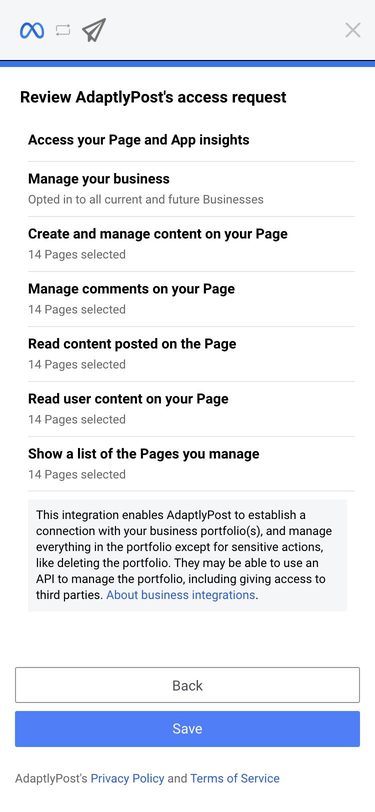
Facebook: review the access, then Save
6Facebook shows what it allows. Tap Save.
TikTok's own login page
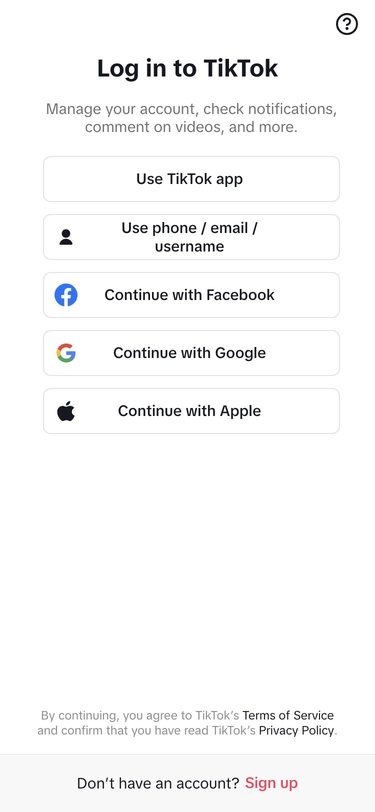
7TikTok: log in the way you normally do, then allow it.
Google: choose the account that has your YouTube channel
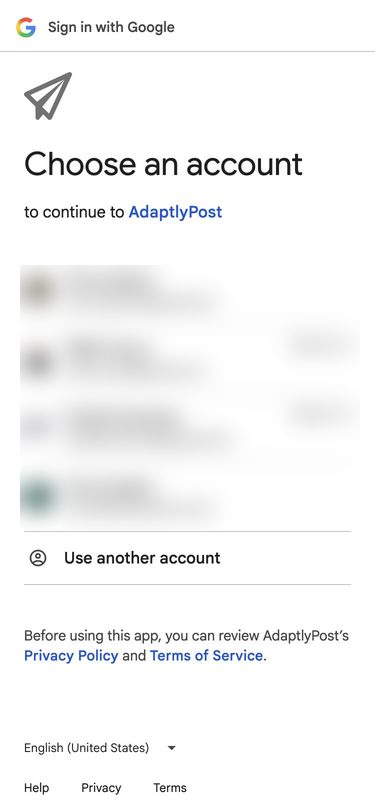
8YouTube: pick the Google account that has your channel, then allow it.

The connect page is run by AdaptlyPost, the service we post through. Each link works for 3 days. If it runs out, tap Connect again for a new one.

What we can and can't do

We can

  • Post your clips and schedule them
  • Delete a clip before it goes out
  • See your views, followers and comments

We can't

  • See or change your password
  • Read your messages
  • Change your bio, your name or your profile picture
  • Post on your personal Facebook
  • Log in as you

We send you a link for your bio and you paste it in yourself.

Instagrampost, see stats, see and answer comments. No messages.
Facebookpost on the page, see stats and comments. Facebook also asks to manage the business that owns the page, so pick only that one.
TikTokpost and see stats. No comments, no messages.
YouTubepost Shorts and see stats. Google's screen says the app can edit and delete videos. We only add clips, and only remove our own when you ask.

Take it back any time

You can take the access back in each app's settings, and nothing else on your account changes.

Instagram: Settings, then Website permissions, then Apps and websites. Facebook: Settings, then Business integrations. TikTok: Settings and privacy, then Security and permissions, then Apps and services permissions. Google: myaccount.google.com, then Security, then Your connections to third-party apps and services.

Connect all five

Connect all five, then answer the three questions at the bottom. Once your accounts show connected, your weekly footage turns into clips on every one of them.

Open my Social page
✓

Quick check